In this article, discover the world of Pylint to transform the way you program. Whether you’re a seasoned developer or a passionate beginner, Pylint is your ally in improving the quality of your code.
The basic rule of all correct Python code is simply to run without errors. However, as in all fields, there are best practices that enable developers to fine-tune their code and have a consistent style across all their projects. Pylint makes it possible to automate this task so that it doesn’t have to be done manually.
What is Pylint?
Pylint is an open-source tool designed to help developers check code and its quality, detect programming errors in the Python language and offer simple refactoring suggestions. It has been named according to the common Python convention with the prefix “py”. The second part of its name refers to the lint command for analyzing code written in the C language.
In other words, Pylint checks your code without actually executing it and can make suggestions as to how the code could be refactored most simply. By default, Pylint applies the rules of the Python PEP 8 style guide.
What are the main features of Pylint ?
Pylint is similar to other code analysis tools such as Pychecker and Pyflakes, but includes the following features:
- Checking the length of each line of code
- Inspection of variable names to check compliance with project coding standards
- Checks the conformity of declared interfaces with their actual implementation
Pylint offers great configuration flexibility, allowing you to write plugins to add your own custom checks (for example, for internal libraries or specific rules). What’s more, Pylint has an ecosystem of existing plugins for popular frameworks and third-party libraries, so you can extend its functionality to suit your specific needs.
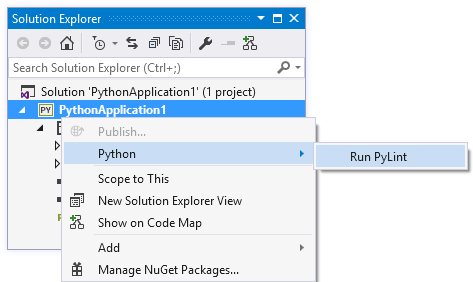
It can be used as a stand-alone application but also integrates seamlessly into IDEs (integrated development environments) such as Visual Studio Code, PyDev, and Eclipse, as well as editors such as Atom, GNU Emacs, and Vim.
Pylint’s Pyreverse module makes it easy to create UML packages and class diagrams from Python code.
Similar , another useful tool that searches for duplicate code , is also integrated into Pylint.
How do I install and configure it?
For command-line use, Pylint can be installed with pip, the classic Python tool:
pip install pylint
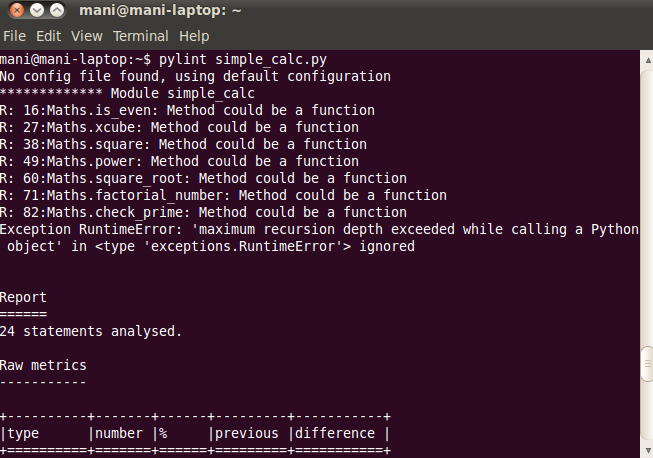
It is possible to optimize the verification and indicate several files to be analyzed or all the modules of a package simultaneously, using the following command:
pylint my package
However, this can be a lengthy process, as Pylint checks that the code conforms to all the rules.
Pylint’s rules are divided into five distinct, increasingly complex categories, each represented by a letter:
- C (Convention): non-compliance with PEP 8 coding conventions,
- R (Refactor): detection of bad practices where the code can be improved,
- W (Warning): warning of problems specific to Python,
- E (Error): probable detection of bugs in the code,
- F (Fatal): error preventing Pylint execution.
Depending on the context, some of these may not be useful. The solution would be to configure Pylint to customize the list of rules and use only those that are relevant to you.
For example, here’s the code to disable all warnings (denoted by the letter W):
$ pylint package/module.py --disable=W
Advantages and disadvantages of Pylint
Pro :
- Easy to use and install
- Applies standard coding practices in error detection
- Checks both validated code and code still undergoing testing
- Possibility of customization
- Can be integrated with common IDEs such as Visual Studio, Eclipse, etc.
Cons :
- The rigidity of default rules
- Longer runtimes due to its exhaustive nature
- Some parts of the documentation are less exhaustive or less clear than other similar tools
Conclusion
Pylint offers great configuration flexibility and allows users to write their plugins for customized checks.
Although it has certain limitations, Pylint remains one of the most comprehensive tools on the market, enabling you to go beyond the basics and obtain consistent, error-free code.
As an open-source tool, Pylint enjoys the benefits of transparency, collaboration, and community contribution, enabling it to constantly improve and enrich its functionalities.
And if you’d like to learn to code in Python or expand your knowledge, our Data Analyst, Data Scientist, and Data Engineers courses are not to be missed!