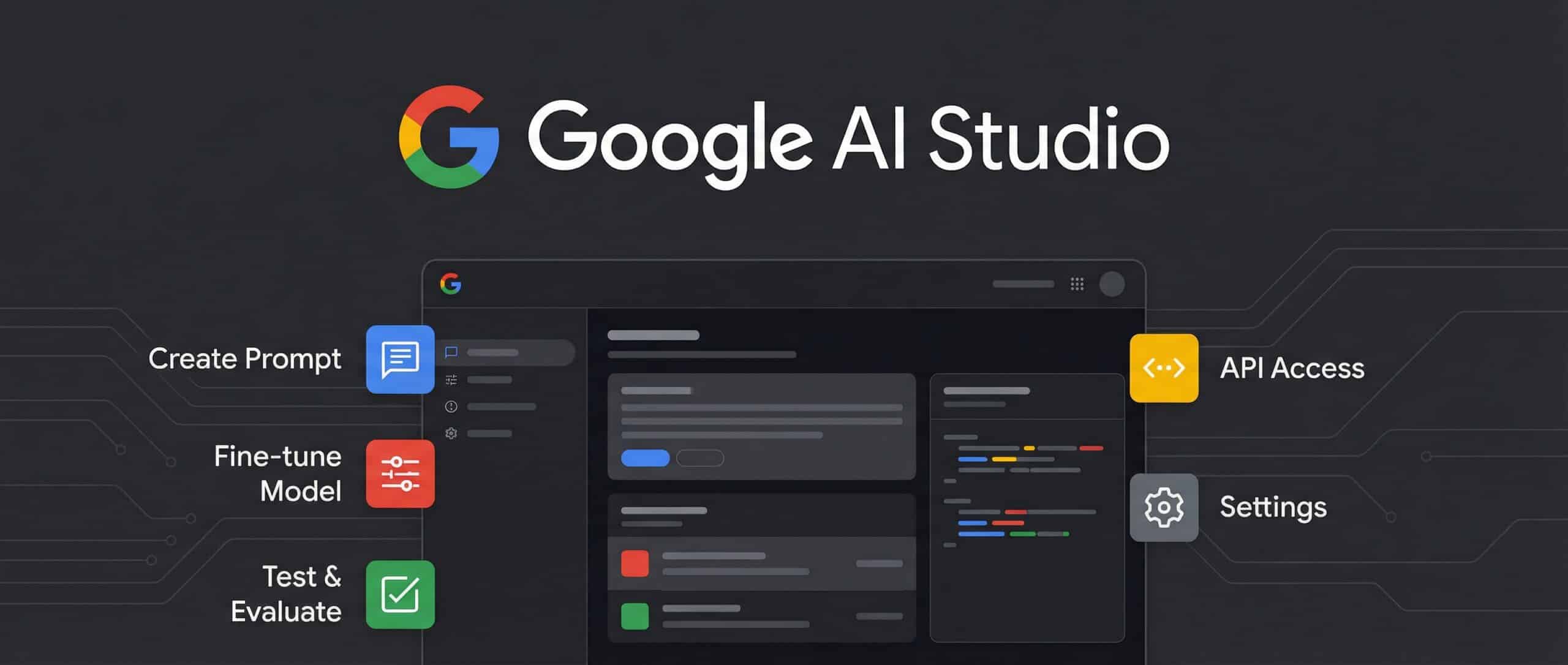
Do you want to discover a simple yet impactful tool for experimenting with artificial intelligence? Google AI Studio offers you the chance to interact with Gemini models without requiring any coding skills, while also paving the way for advanced use cases. In this guide, we’ll walk you through how to use Google AI Studio, its main features, available alternatives, and everything essential to maximize its potential.
What is Google AI Studio?
A no-code interface for experimenting with Gemini
Are you eager to explore Google’s artificial intelligence without having to write a single line of code? Google AI Studio may be just the tool you’re looking for. Created with the goal of democratizing generative AI, it enables you to interact seamlessly with Gemini models via a straightforward, no-code interface.
You can input a prompt, review the AI’s response, tweak the parameters, and repeat the process as often as you like. All this is possible without any technical background. With just a few clicks, you’ll be able to create, test, and observe how a language model responds to your instructions. It’s an engaging and incremental way to dive into the mesmerizing world of AI.
A Solution Tailored for Developers and Curious Minds
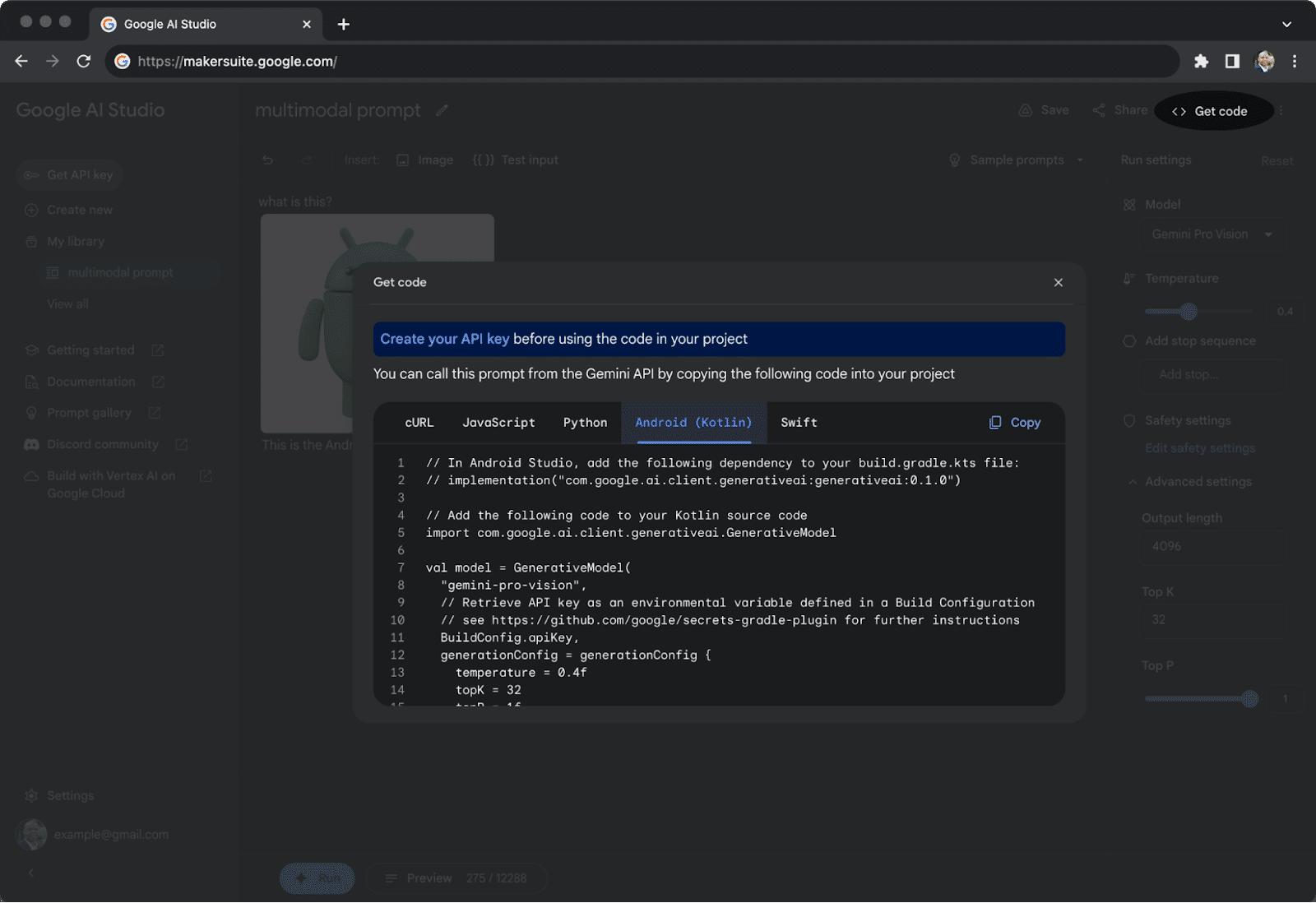
While the platform is beginner-friendly, seasoned developers are not left out. You can export the generated code, utilize the Gemini API, and even compare different models’ performances.
Are you naturally curious? AI Studio provides an open playground for experimentation. For developers, it serves as a dynamic toolkit for refining prototypes, testing concepts, and advancing projects in a matter of hours. The interface evolves to match your skill level, pace, and ambitions.
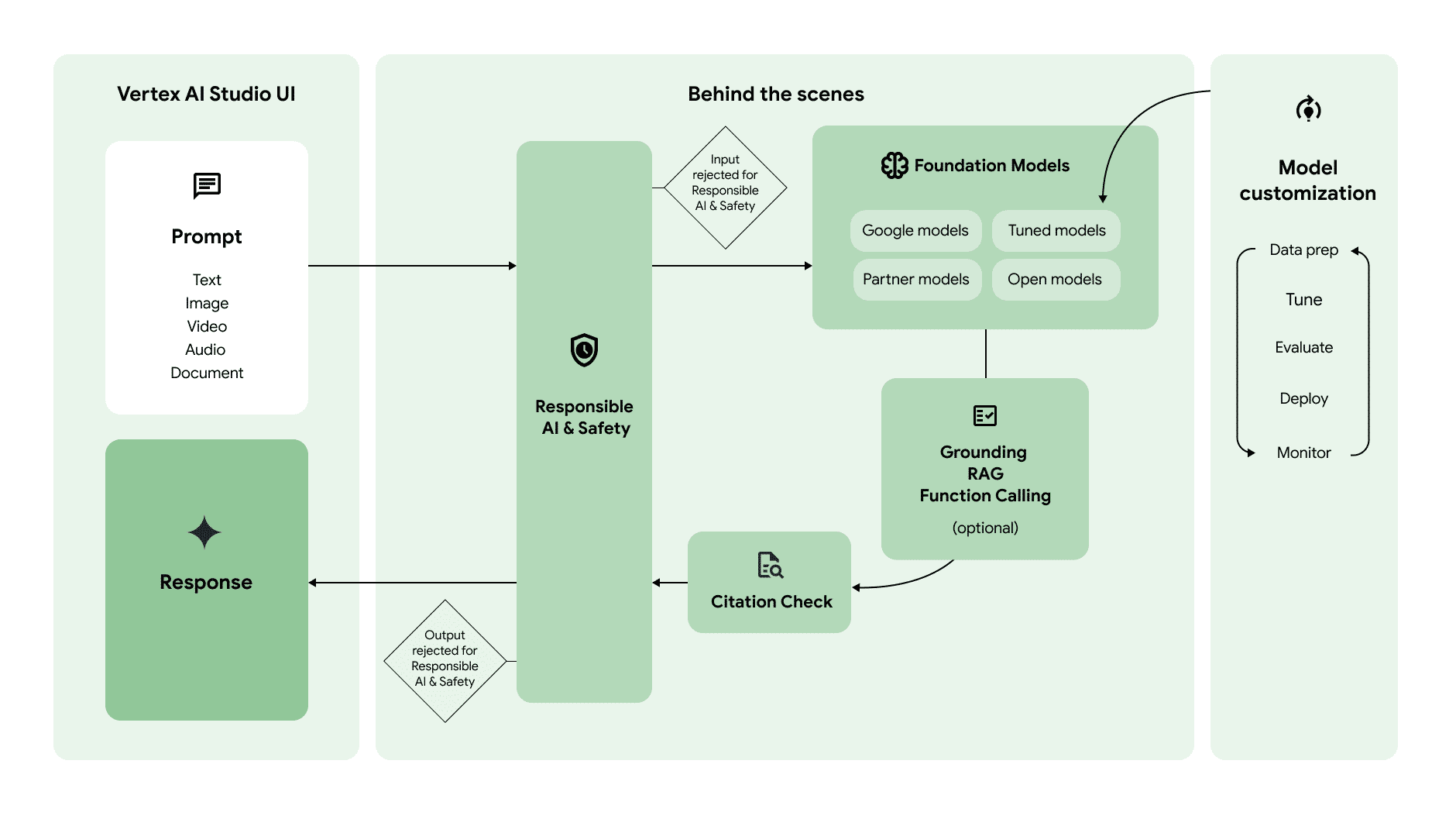
What Sets Google AI Studio Apart from Google Studio?
Google provides several tools, and distinguishing between them can sometimes be confusing. Here’s a simple comparison table to clarify their differences:
| Tool | Function | Target Audience |
|---|---|---|
| Google AI Studio | Test Gemini models without coding | Beginners, enthusiasts, developers |
| Vertex AI Studio | Large-scale training, deployment, and monitoring | Cloud professionals, enterprises |
| Firebase Studio | App development with integrated AI | Web and mobile developers |
As demonstrated, each tool serves a distinct purpose. With AI Studio, the focus is on simplicity, speed, and an ideal testing environment for beginners venturing into the AI space.
Is Google AI Studio Available in U.K?
The straightforward answer is yes. Google AI Studio can be accessed from U.K today with a regular Google account. No VPN or workarounds are necessary-everything is ready to use. You can access the tool via this link: aistudio.google.com.
That said, some cutting-edge features may take slightly longer to roll out in U.K due to Google’s phased deployment strategy. Stay informed on updates, explore the platform regularly, and benefit from automatic fixes and upgrades.
Once you sign in, you’ll experience an intuitive platform designed to take you from mere curiosity to deep understanding in just a few minutes. If you’re eager to learn new skills, Google AI Studio provides an exceptional starting point.
How to Use Google AI Studio?
Prerequisites for Accessing Google AI Studio
The only essential requirement is a valid Google account. That’s all you need to begin exploring Google AI Studio-no tedious installations or complicated configurations necessary. The tool is accessible directly through your browser, making it ready for use as soon as you log in. To enable advanced features, such as live camera integration, you might need access to Gemini Advanced.
Logging In with a Google Account : Steps to Follow
Accessing the interface is simple. Visit Google AI Studio, click on “Sign in,” and enter your Google credentials. Within moments, you’re greeted with a streamlined and intuitive space ready for your experiments. You’ll notice the interface loads almost instantly, allowing you to start without delay.
Exploring the Interface
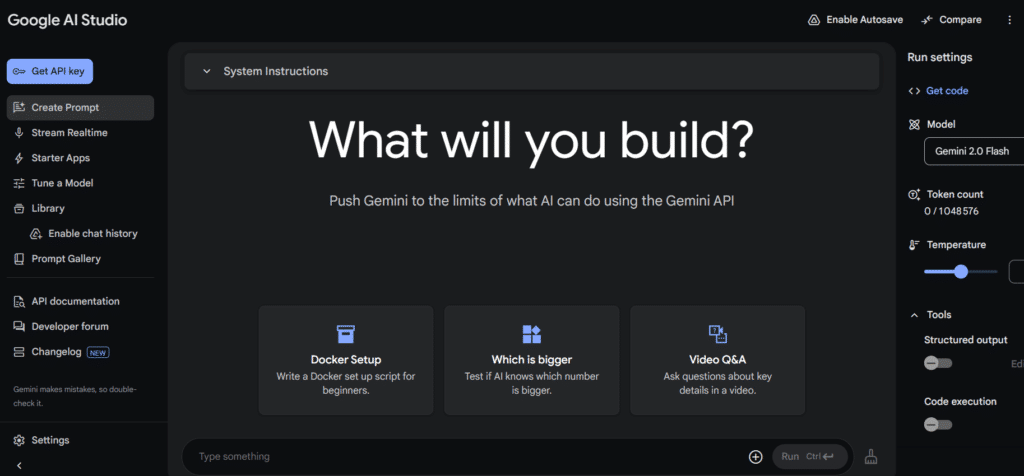
After signing in, you’ll find a clean and welcoming layout designed to eliminate distractions. The interface features a text editor for entering your prompts, an output section for the AI’s responses, and an unobtrusive menu for additional features. Everything is built to ensure that even as a novice, you can navigate effortlessly, fueled by curiosity, and unafraid of making mistakes.
Using AI Studio on Desktop and Mobile Devices
Google AI Studio is optimized for desktops but boasts a responsive design that works equally well on smartphones. Whether you’re at your desk or on the move, you can engage with the platform, create, and test concepts effortlessly. Some features, like live camera interactions, may be more comfortable to manage on a larger screen. Regardless of the device, you’re free to let your imagination lead the way.
Key Features of Google AI Studio
Here’s a table summarizing the main features of Google AI Studio for quick reference:
| Feature | Description |
|---|---|
| Text Interaction with Gemini | You enter a written prompt, and the AI responds contextually, creatively, and tailored to your request. |
| Live Camera Activation | Show an object, text, or scene via your camera, and let the AI analyze what it sees in real time. |
| AI Image Generation | Write a description, and the tool generates a unique image matching your ideas or projects. |
| Using the Gemini API | Enjoy a free version for your tests, then upgrade to a paid version if you want more advanced professional uses. |
Alternatives and Complementary Tools
Gemini 1.5 Pro vs Gemini Advanced
When navigating Google’s AI offerings, it’s helpful to understand how Gemini 1.5 Pro differs from Gemini Advanced.
Gemini 1.5 Pro is a state-of-the-art model designed for processing large datasets with a staggering 1-million-token context window. This tool is ideal for analyzing extensive documents, cross-referencing complex data, or powering robust AI applications.
In contrast, Gemini Advanced is integrated with everyday tools like Google Workspace and Google Assistant. It’s perfect for daily interactions like answering questions, creating simple content, or streamlining tasks.
Essentially, Gemini 1.5 Pro is geared toward massive projects, while Gemini Advanced focuses on functional, lightweight tasks.
Google AI Studio vs Other No-Code Tools
Are you debating whether to use Google AI Studio, ChatGPT’s Custom GPTs, or OpenAI Playground? Here’s a helpful breakdown:
Google AI Studio stands out as an intuitive platform perfect for getting started with AI. Seamlessly integrated into Google’s ecosystem, it supports multimodal interactions, text, images, and soon audio-entirely no-code.
ChatGPT Custom GPTs enables you to define specific functionality for AI, offering flexibility to craft bespoke solutions. It requires minimal technical know-how and is centered around personalized AI behavior.
OpenAI Playground, in turn, provides a versatile environment where users can test various models, adjust fine-tuning settings, and explore advanced features. However, it demands a stronger grasp of AI concepts to optimize its potential.
Your choice depends on your goals: experimenting, building projects, or pushing technical boundaries.
How Can Google AI Studio Be Truly Useful?
If you’re asking who benefits most from using Google AI Studio, here’s the answer:
- Develop first AI applications without requiring programming expertise.
- Experiment with cutting-edge models to grasp AI’s wide-ranging potential.
- Train teams or students by giving them hands-on access to AI technology.
- Create innovative content, visuals, or ideas, whether you’re a marketer, creative professional, or entrepreneur.
- Simplify complex data analysis with visuals and intuitive insights beyond traditional methods.
By tapping into these opportunities, users can rapidly transition from learning to creating, unhindered by technical restraints.
Final Thoughts on Google AI Studio
If we sum up Google AI Studio in a few words, it’s both a launchpad and a catalyst. As a launchpad, it simplifies the process for users to gain hands-on experience with Gemini models. As a catalyst, it accelerates progress for ambitious AI projects, whether you’re new to AI or have previous expertise.
With its user-friendly design, compatibility with Google services, and scalability for professional applications, Google AI Studio positions itself as an indispensable tool for anyone ready to explore the possibilities of artificial intelligence.
Conclusion
Google AI Studio is an excellent entry point into the exciting AI domain.
Accessible, robust, and designed to grow alongside your aspirations, it empowers you to experiment, create, and innovate with ease. Whether you’re a curious individual, a student, a developer, or a business owner, this tool gives you the means to embrace the future of technology and unlock endless opportunities.